

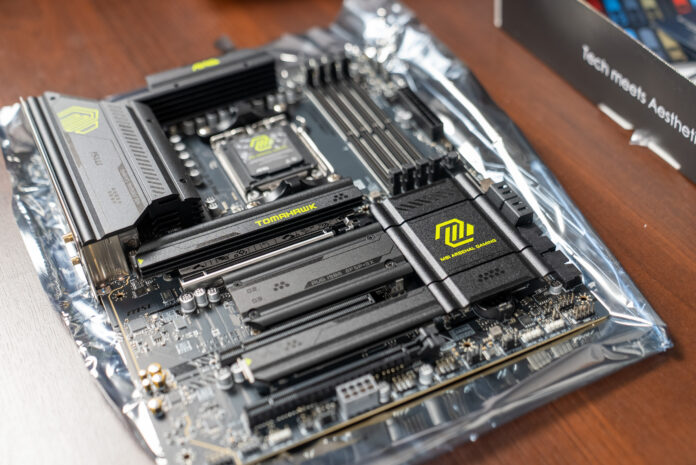
MSI has long been known for solid motherboards for enthusiasts, and the MAG X870 TOMAHAWK WIFI continues that tradition. It is a design based on AMD’s latest X870 chipset, intended for Ryzen 7000, 8000, and 9000 series processors (AM5 socket). In practice, that means full support even for top end chips such as the Ryzen 9 9950X3D, which I plan to pair with this board in my PC.
The MAG X870 TOMAHAWK belongs to MSI’s well regarded Arsenal Gaming (MAG) line, aimed mainly at gamers looking for stability and performance. At first glance, the board stands out with its subdued “military” styling (a mix of black and gray with subtle accents), without flashy RGB lighting, which many users tired of LEDs everywhere may actually see as a plus. But it’s the specs and capabilities that make the strongest impression. It’s also worth noting that I bought this motherboard with my own money.
Specifications and key features
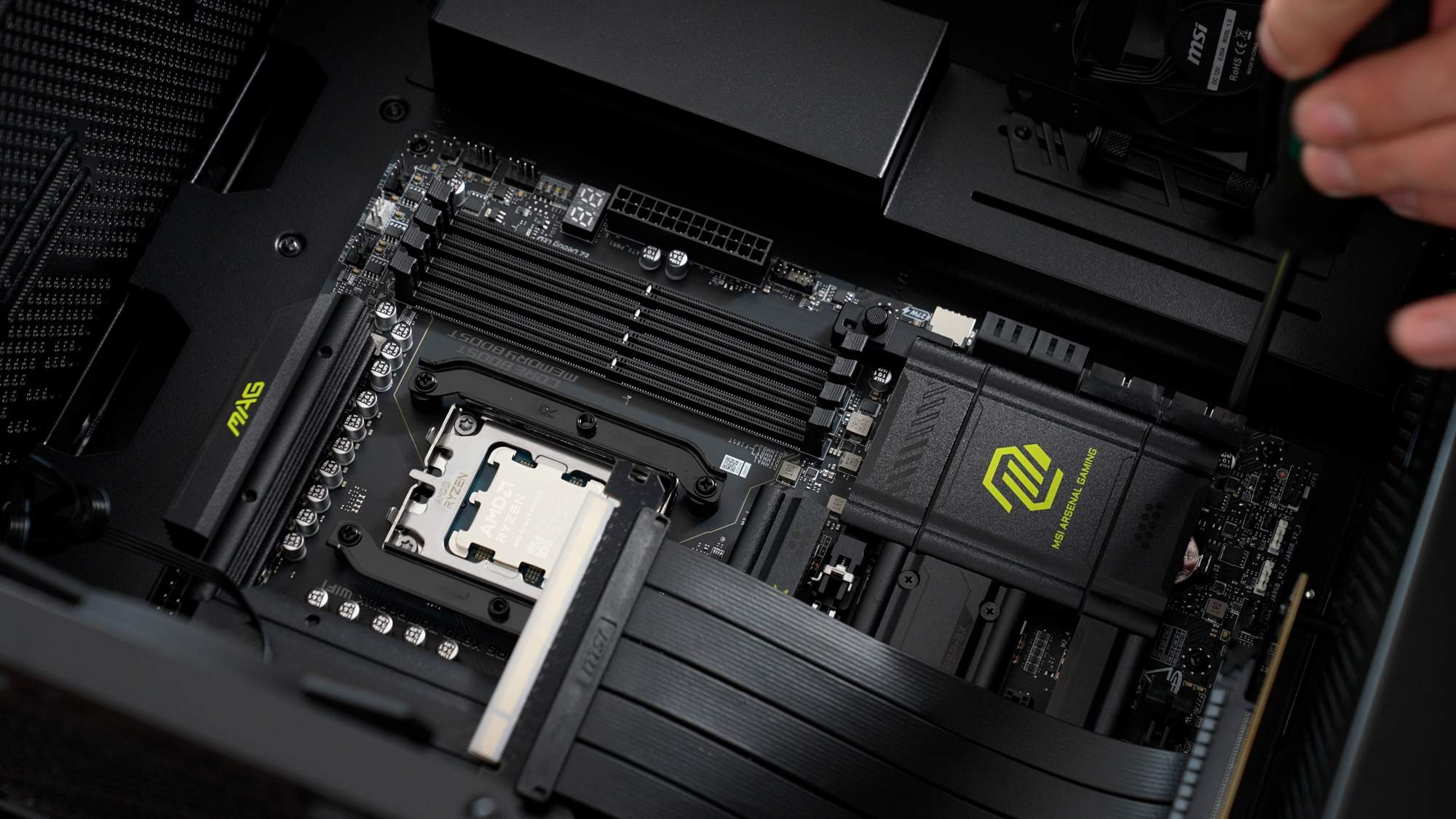
A quick look at the MAG X870 TOMAHAWK WIFI spec sheet shows this is a modern and well equipped motherboard. You get the latest standards: DDR5 memory support (4 slots, up to 256 GB, with EXPO profiles for easy memory tuning) and PCIe 5.0 both for the graphics card and for M.2 SSDs. The board offers four M.2 slots in total. Two are connected directly to the CPU and run at PCIe 5.0 x4, while the other two use the X870 chipset lanes (PCIe 4.0). This approach delivers extremely high transfers with next gen Gen5 drives while staying compatible with cheaper, still very fast Gen4 SSDs. It’s worth noting, however, that the last, fourth M.2 slot has bandwidth limitations. M2_2 shares lanes with two USB4 ports, so when it’s populated both drop to x2, and in BIOS you can restore M2_2 to x4 by disabling USB4. It also shares bandwidth with one of the PCIe slots, so using it may reduce the speed of an additional PCIe connector on the board. Still, the sheer number of M.2 slots lets you install an impressive amount of storage, which both gamers with many installed titles and video creators working with large files will appreciate.
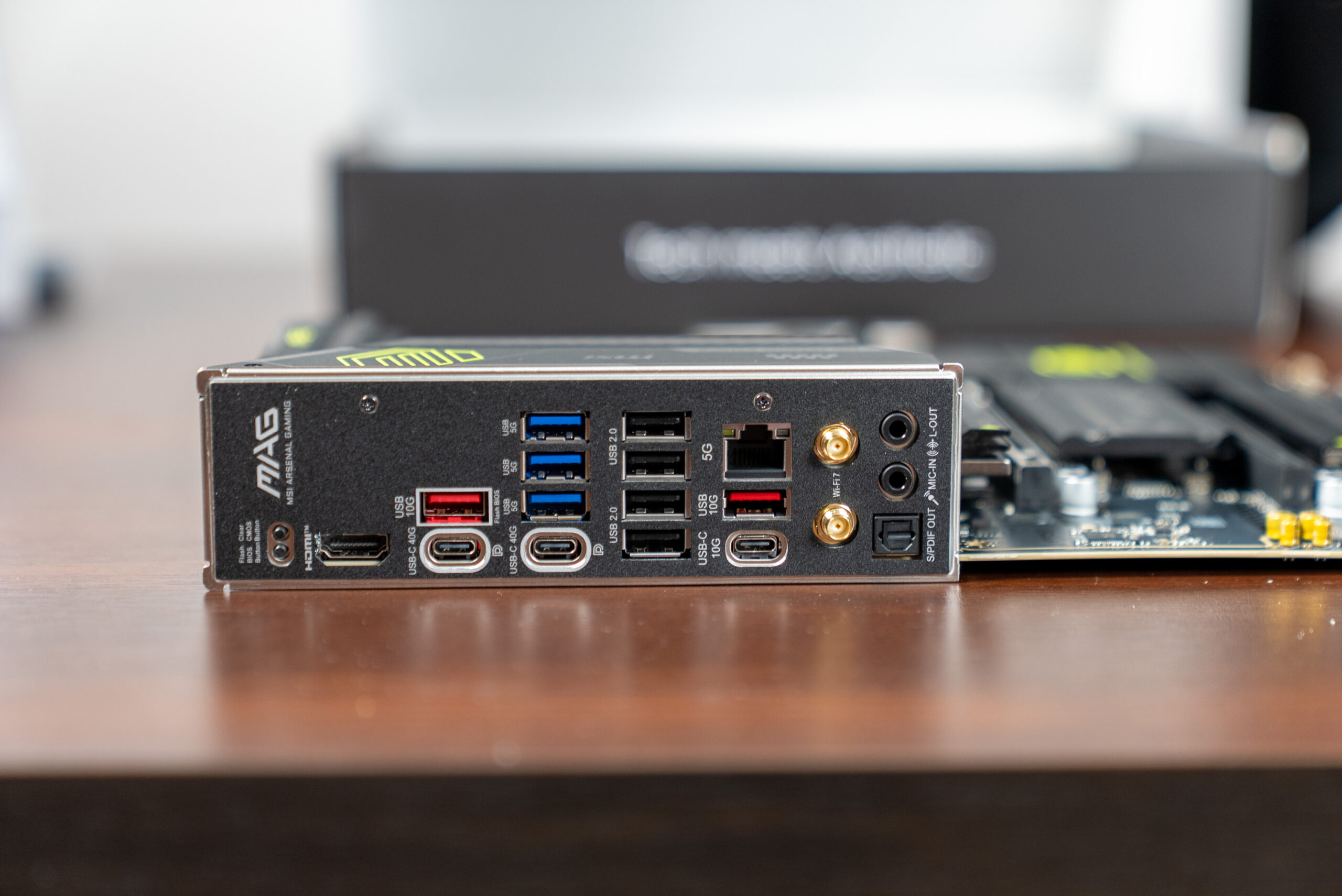
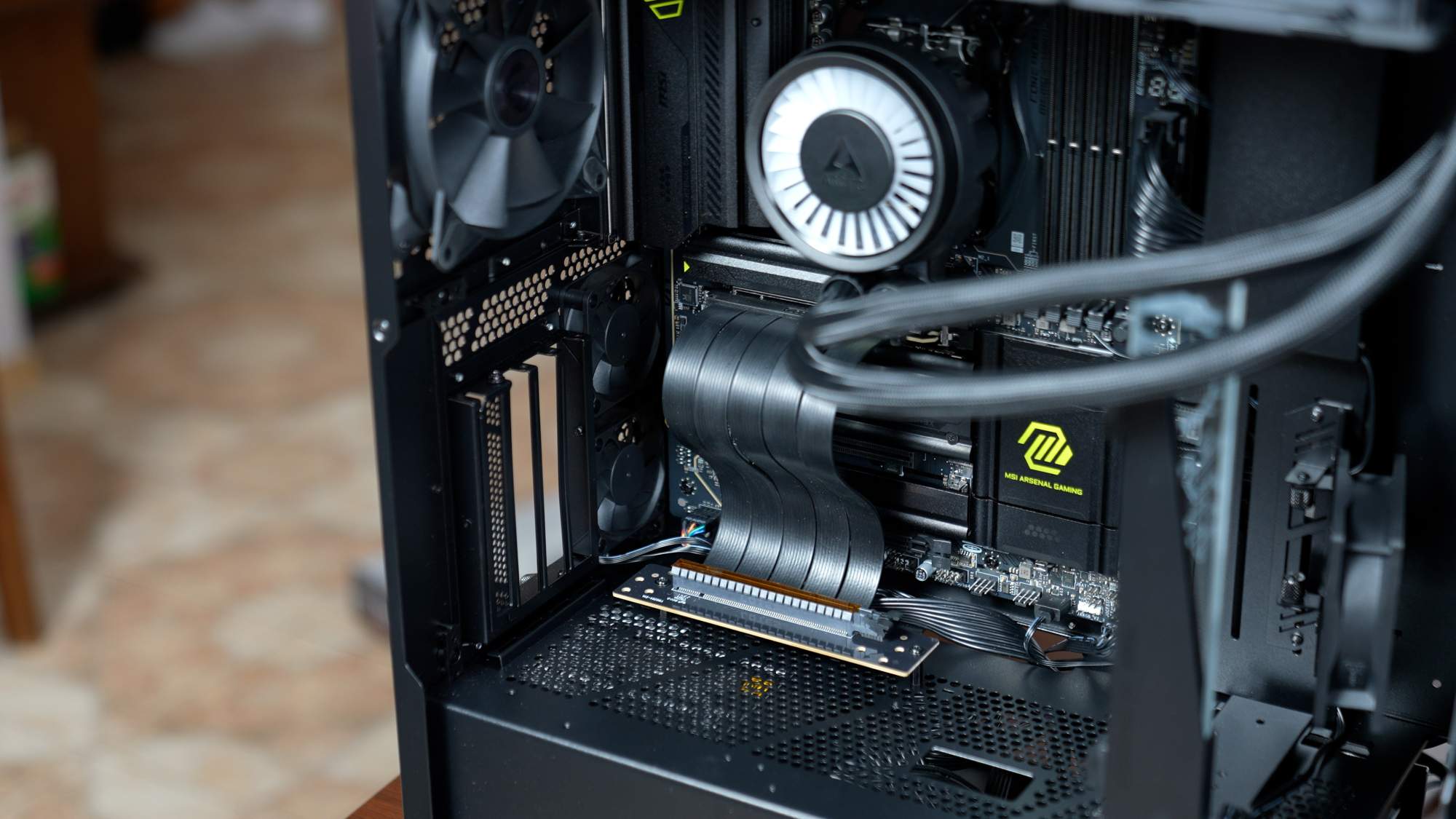
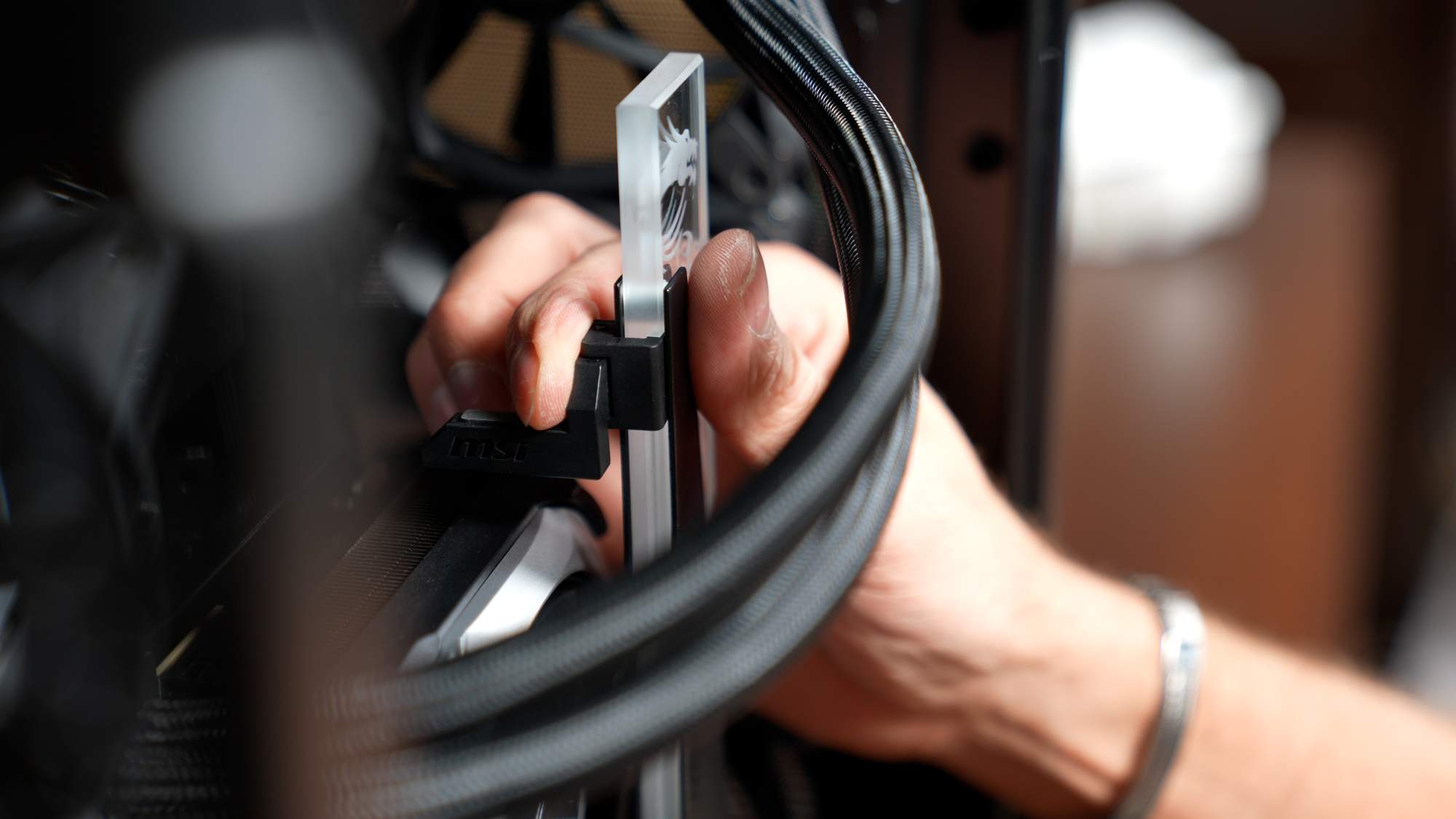
For expansion slots, the MAG X870 TOMAHAWK sticks to a classic layout. The main PCIe x16 slot is PCIe 5.0 (directly from the CPU) and is meant for the GPU. MSI reinforced it with a metal shield (Steel Armor) for durability and added a clever EZ PCIe Release button that mechanically unlocks the latch. That means even with a huge GPU like an RTX 4090, removing it is easy without awkward finger gymnastics in a tight case. Beyond that, you get two additional slots: one PCIe 4.0 x4 and one PCIe 3.0 x1, both chipset driven. So in practice, aside from the graphics card, you don’t get a lot of high bandwidth expansion. Only the first slot runs at full speed, and the others are more limited. For most users this won’t be an issue, since many people only run a GPU and maybe a sound card or capture card, which don’t need much bandwidth, but it’s still a trade off worth knowing about.

The port selection deserves real praise, especially on the rear I/O. The MSI MAG X870 TOMAHAWK WIFI is a paradise for USB enthusiasts. It supports up to 21 USB ports of various types in total. On the rear panel you get a truly packed selection, 12 USB ports overall, including two USB4 Type C ports with 40 Gbps bandwidth, also compatible with Thunderbolt 4. This is rare even among high end boards, and it lets you connect the fastest external SSDs, docks, or even 4K monitors via a single cable. You also get plenty of USB A ports, from older USB 2.0 (perfect for a keyboard and mouse) to USB 3.2 Gen1 (5 Gbps) and Gen2 (10 Gbps). There’s also a modern USB 3.2 Gen2x2 (20 Gbps) front header and it even supports 27 W Power Delivery, so with a case front USB-C port you can fast charge a smartphone. With this much USB, the MAG X870 TOMAHAWK can easily act as a hub for all the peripherals and external devices you want to use.

A modern motherboard also needs fast networking and MSI delivered here too. You get both 5 Gb/s wired LAN and the latest Wi-Fi 7 module with Bluetooth 5.4. For context, many competing boards still offer “only” 2.5G Ethernet and Wi-Fi 6E, so the Tomahawk looks very forward looking on connectivity. Wireless gamers will appreciate lower latency and higher throughput with Wi-Fi 7, assuming they have a capable router. The 5 Gb/s LAN port is also great for people who move large files over a local network or simply want to be ready for faster broadband down the road.
Now let’s focus on power delivery and cooling, because that’s critical for high performance CPUs. The MAG X870 TOMAHAWK comes with a strong 14 phase CPU VRM (14+2+1 overall, using 80 A SPS components). In practice, this means the board can feed even 16 core Ryzen 9 chips steadily, including 3D V-Cache models that can be thermally picky. MSI also included two 8 pin CPU power connectors, improving current delivery to the processor. Cooling is handled by large surface area heatsinks (Extended Heatsink) linked by a heatpipe, with high conductivity thermal pads to pull heat away from the MOSFETs effectively. Around the M.2 slots you also get aluminum thermal covers (Shield Frozr) that help prevent SSD throttling under heavy load. Overall, this board takes a fully loaded approach to keeping temperatures low, and it does it without extra noise because the large heatsinks can dissipate heat passively.
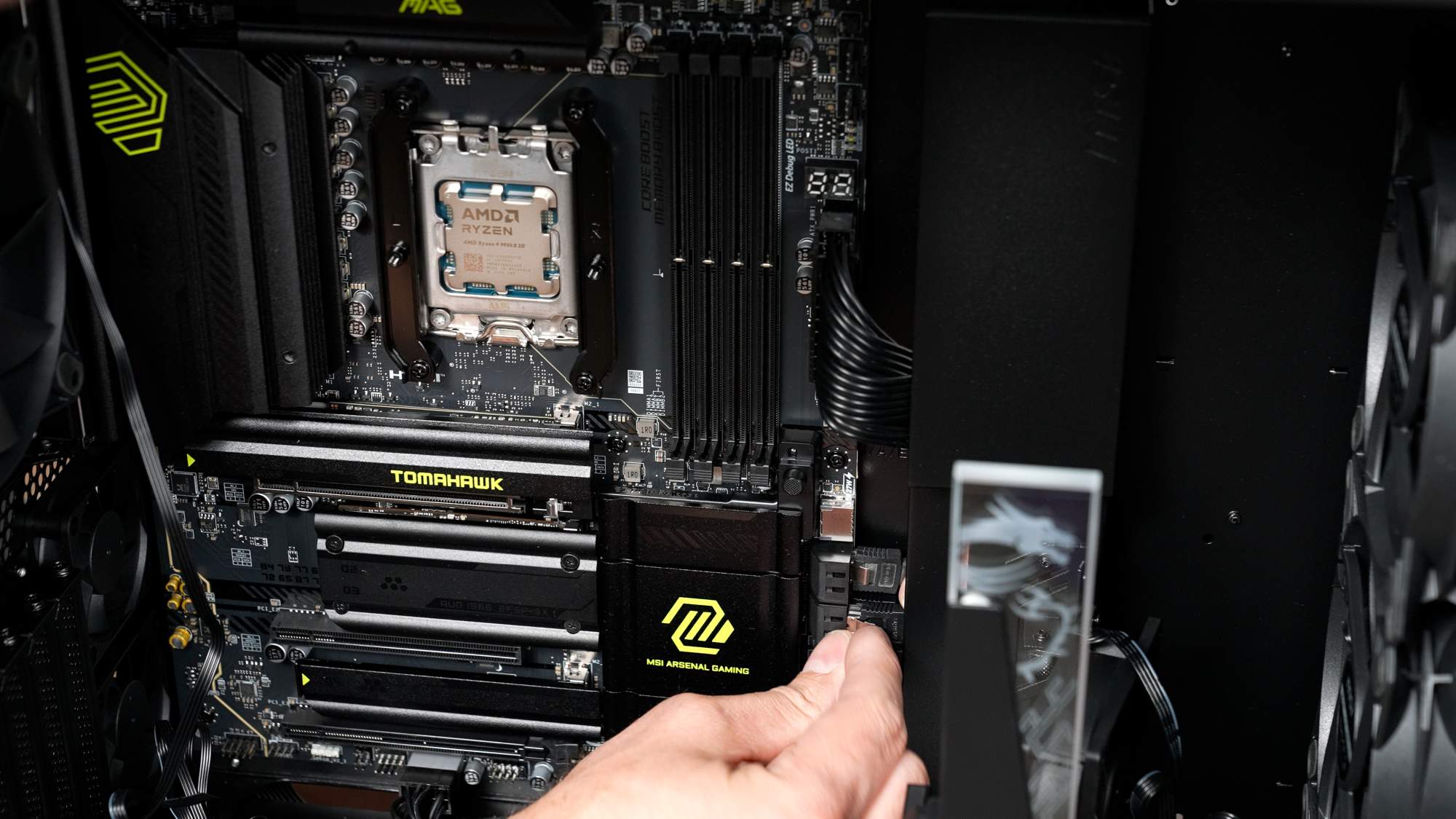
You also get a lot of DIY friendly features. Beyond the GPU release button and tool free M.2 latches (MSI calls it EZ M.2 Shield Frozr, and yes, the drive installation is done without a screw), you have two buttons on the rear I/O: Flash BIOS and Clear CMOS. Flash BIOS lets you update the BIOS from a USB drive without booting into the OS, even without a CPU installed, which is a lifesaver for adding support for new processors or recovering from a bad overclock. Clear CMOS makes it easy to reset BIOS settings if you push OC too far or a change prevents booting. These simple but valuable features show MSI targets enthusiasts who like to tinker and want a smooth experience. A nice extra is the two digit POST code display and EZ Debug LEDs, which help quickly identify what’s causing boot issues, for example memory or CPU problems.
The final part of the spec worth describing is the audio. MSI uses the Realtek ALC4080 codec supported by Audio Boost 5 components. In practice, that delivers solid sound quality at the level you’d expect from higher tier gaming boards, more than enough for typical gaming and watching movies. Many users will still use USB headsets or external DACs anyway, so the integrated audio is more of a reliable backup. It’s also worth noting that the rear I/O has only two analog audio jacks (mic in and headphone out) plus optical S/PDIF. This setup works well for stereo speakers or a soundbar via optical. If someone wants an analog 5.1 or 7.1 setup, they’ll need to use the case front panel or an external decoder. For most gamers this won’t be a downside, especially since the headphone output quality is good, and fewer jacks help keep the price in check.
Pros and cons
Like any piece of hardware, the MSI MAG X870 TOMAHAWK WIFI has both strengths and weaker points that show up in real use. Here, the advantages clearly outweigh the negatives. First, the board impresses with build quality and rich features that rival more expensive models. Even at around 1200-1300 PLN, it feels like a higher tier product, and the component choices (VRM, cooling, connectors) give that premium vibe. Another big plus is the huge number of USB ports. If you have a lot of devices, this board can handle them without extra hubs, up to 21 ports including two ultra fast USB4 and Thunderbolt 4 compatible Type C ports. You also get plenty of quality of life features: the GPU release button, tool free M.2 mounting, Flash BIOS and Clear CMOS buttons, and the POST display. All of that makes building and maintaining a PC simply more pleasant. Finally, the networking setup is very future proof. Wi-Fi 7 and 5 Gb/s LAN should keep your PC from feeling outdated for a long time in terms of connectivity.
Now for the downsides. The biggest compromise is limited high bandwidth expansion beyond the main PCIe x16 slot. The additional slots offer lower bandwidth, just one x4 Gen4 slot and one x1 Gen3 slot, which can be restrictive for some users. If you plan to use multiple add in cards such as RAID controllers, 10G network cards, or accelerators, you may run into limits with the Tomahawk. A similar story applies to the four M.2 slots. Yes, four is a lot, but two can run with reduced speed or disable other resources. One M.2 slot can consume chipset PCIe lanes, and another, depending on the CPU, can be unavailable. That means storage configuration may require some planning and awareness of lane sharing conflicts. For most typical builds, it won’t matter. It’s hard to fill four NVMe SSDs right away, but advanced users building very storage heavy rigs should keep it in mind.
Another potential drawback is price. Compared to mid range boards, the MAG X870 TOMAHAWK is a higher segment product. If someone is on a tight budget and doesn’t need features like Wi-Fi 7 or USB4, cheaper B650 or B650E alternatives can offer a strong AM5 foundation for less money. Still, compared to competing X870 and X670E boards, the Tomahawk often looks well priced. You get a lot of flagship type features for a fraction of the price, so the value for money is strong.
Summary

The MSI MAG X870 TOMAHAWK WIFI is a motherboard that offers almost everything you could want from a higher tier modern AM5 platform. It combines performance, rich features, and attention to detail, so when building on it you feel the manufacturer considered real user needs. Whether you’re building a top tier gaming machine or a workstation for demanding tasks, the Tomahawk provides a stable foundation. The biggest strengths are advanced connectivity (USB4 and Thunderbolt 4 compatibility, Wi-Fi 7, 5 Gb/s LAN), a strong power delivery section that can handle even 16 core processors, and user friendly design choices that make installation and daily use easier. The limitations in PCIe lanes for add ons or the need to plan resource sharing between SSDs feel like a small price for what you get, especially because they mostly affect specific niche scenarios.
Is the MSI MAG X870 TOMAHAWK WIFI worth buying? In my view, yes, as long as it matches your needs. If you want a versatile ATX board for a new gen Ryzen CPU and you care about maximum performance and features, but you don’t want to overpay for extreme flagships like the MSI Godlike, the X870 Tomahawk is an excellent option. In this price class, you get quality and features that often appear only on more expensive boards. It will suit demanding gamers and creators in particular: gamers get performance headroom and modern standards, creators get stability and fast components for work. If your build is more budget focused or you won’t use features like Wi-Fi 7, the huge number of USB ports, or the potential of four NVMe drives, then you should consider lower chipset boards, where you can save money at the cost of those extras.

